
SEO ROI Calculator
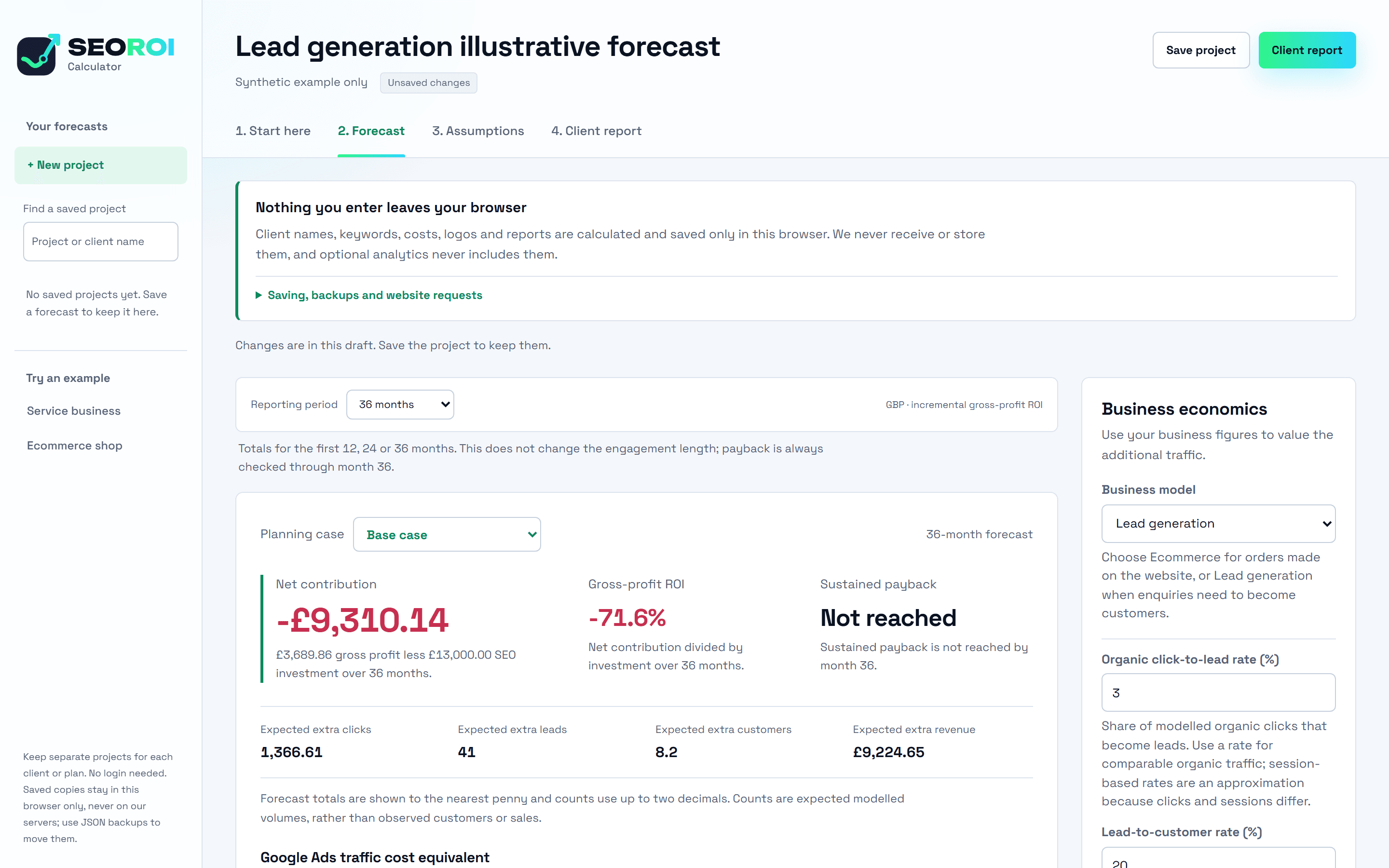
See whether SEO will pay for itself before anyone signs off the budget. Put in your ranking targets and your own business numbers, and the calculator forecasts the extra leads, revenue, profit and payback, including when the answer is no.
- Free to use
- No login
- Nothing you enter leaves your browser
- A Kodyn × Seven Marketing project
Who it's for.
Anyone who has to justify SEO spend with numbers rather than a hunch.
SEO agencies and consultants
Show a client what a ranking plan is worth before they commit. Keep a separate project for each client and hand over a report with your own name, logo and colour on it.
In-house marketing managers
Put a figure on the SEO budget you're asking for, with the downside set out next to the upside so finance can see the whole range.
Owners weighing an SEO proposal
Run an agency's keyword targets against your own conversion rates, order values and margins, and check the promise adds up for your business.
What it does for you.
A forecast built from your numbers
Search volumes, current and target rankings, conversion rates, customer or order value, gross margin and what the SEO costs. Any prefilled figures are examples, not industry averages.
The downside next to the upside
Four planning cases, from no improvement to upside, each one editable. Losses are shown as losses, so the forecast holds up when someone questions it.
Payback, not just ROI
Net contribution and gross-profit ROI over 12, 24 or 36 months, and the month the investment pays back, checked through month 36. Add your Google Ads cost per click to compare against paying for the same traffic.
A report you can hand over
A client report with your branding that prints to PDF, plus CSV exports of the scenarios and a 36-month cashflow.
Built for real keyword lists
Import up to 5,000 keyword rows from a CSV and see the forecast broken down by landing page and by keyword.
Your data stays with you
Client names, keywords, costs and reports are calculated and saved in your browser. We never receive or store them. Save up to 25 projects and move them between devices with a backup file.
How it works.
- 01
Add your keywords.
Enter monthly search volumes from your keyword tool, current rankings from your rank tracker and the positions you want to model. Type them in or import a CSV.
- 02
Value the extra traffic.
Add your conversion rates, customer or order value, gross margin and SEO costs. Choose lead generation or ecommerce to match how you sell.
- 03
Check it and share it.
Review the planning cases and timing, then prepare the client report with your inputs and where they came from.
What it won't do.
- It doesn't fetch your data. Bring search volumes and rankings from your own keyword tool and rank tracker.
- It doesn't guarantee rankings. Forecasts are planning estimates that depend on your targets and figures.
- It doesn't predict when a position will be reached. Timing is an assumption you set and can stretch or shorten.
- It doesn't sync between people. Projects live in one browser; share them with a backup file or the report.